Updated August 2026
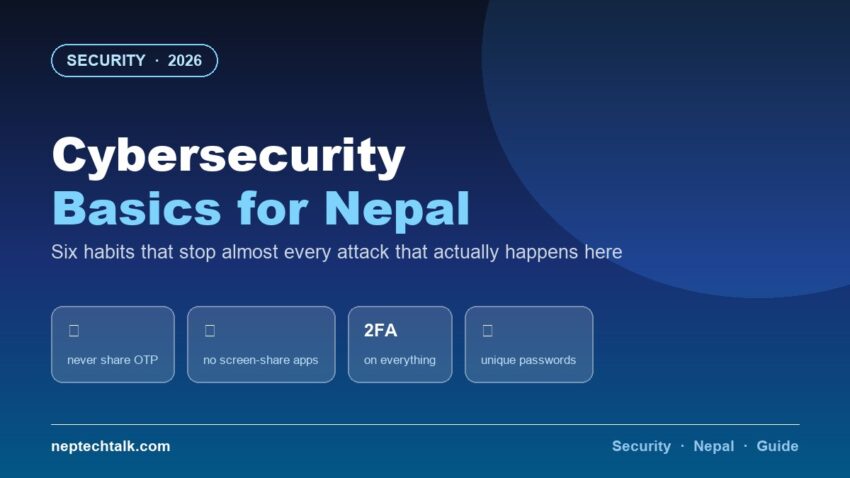
Nepali internet users are not usually targeted by sophisticated hacking. They are targeted by phone calls, fake pages and OTP requests — social engineering rather than code. These cybersecurity basics address what actually happens here, in order of how much protection each provides.
The six habits, ranked by impact
1. Never share an OTP. With anyone. Ever.
No bank, wallet, telecom operator, police officer, government office or company will ever ask for your OTP. Anyone who does is committing fraud, regardless of how convincing they sound or what documents they quote at you.
This single rule prevents the majority of financial losses in Nepal.
2. Never install screen-sharing apps at a caller’s request
AnyDesk, TeamViewer, QuickSupport and similar. A caller claiming to be from your bank, a wallet, a courier or “technical support” asking you to install one of these is running the most common account-emptying scam in Nepal today.
They do not need your OTP if they can see your screen.
3. Turn on two-factor authentication everywhere
Facebook, Google, Instagram, your email — all support it, all take two minutes to set up.
Use an authenticator app rather than SMS where offered. SMS 2FA can be defeated by SIM-swap attacks; an authenticator app cannot.
Save your backup codes somewhere you can reach without your phone — this matters enormously when you lose the phone, and connects to the MNP and SIM issues too.
4. Use a different password for your email than everywhere else
If you do nothing else about passwords, do this. Your email is the master key — it can reset almost every other account you own. If it falls, everything falls.
Better: use a password manager (several are free) and let it generate unique passwords for everything. The habit of reusing one password across sites is how a breach at a random website becomes a compromised bank account.
5. Update your phone and apps
Security updates fix vulnerabilities that are actively exploited. This is dull, free protection.
It is also a reason our phone buying guides weigh update commitments — a phone that stops receiving security patches becomes a genuine risk in a country where mobile banking is the norm.
6. Verify through a second channel
Any message asking for money, credentials or urgent action — verify through a different medium. A call claiming to be your brother? Call him back on his own number. An email from your bank? Open the app directly, never the link.
The Nepal-specific attacks to know
| Attack | How it works | Defence |
|---|---|---|
| OTP request calls | Caller impersonates bank/wallet | Never share, ever |
| Screen-sharing scam | “Install this to fix your account” | Never install at a caller’s request |
| Facebook page cloning | Fake shop takes payment | Check page age, use COD |
| AI voice cloning | Cloned relative’s voice, urgent money request | Call back on a known number |
| Fake job offers | Advance fee for a “guaranteed” job | No legitimate employer charges for a job |
| Lottery/prize messages | You “won” something you never entered | Delete |
| Fake delivery fees | Link harvests card details | Contact the courier directly |
If your account is compromised
- Change the password immediately — from a device you trust
- Check and remove unknown logged-in sessions in account settings
- Contact your bank or wallet if money is involved — speed matters most
- Report to Nepal Police Cyber Bureau
- Warn your contacts — compromised accounts are used to scam friends
- Enable 2FA if it was not already on
For parents and less technical family members
The people most targeted are the least likely to read this. Do these for them:
- Set up 2FA on their accounts
- Teach the OTP rule — say it repeatedly until it is reflex
- Agree a family code word for phone requests involving money
- Tell them to call you before acting on any urgent message
- Enable app lock on their banking and wallet apps
Frequently asked questions
What is the most common cyber attack in Nepal? Social engineering — OTP requests by phone and screen-sharing app scams. Not technical hacking.
Is SMS two-factor authentication safe? Better than nothing, weaker than an authenticator app because of SIM-swap risk. Use an app where offered.
Do I need antivirus on my phone? Generally no on iPhone; on Android, sticking to official app stores and keeping the system updated covers most risk. Many “antivirus” apps are themselves adware.
What should I do if I shared an OTP? Contact your bank or wallet immediately — minutes matter. Then change passwords and report.
How do I protect my parents? Set up 2FA for them, teach the OTP rule until it is reflex, and agree a family code word for money requests.
The bottom line
Cybersecurity in Nepal is six habits: never share an OTP, never install screen-sharing apps for a caller, turn on 2FA, keep your email password unique, update your devices, and verify through a second channel. Almost every real attack here fails against those. Then teach them to the people in your family who most need them.